Honda Center App
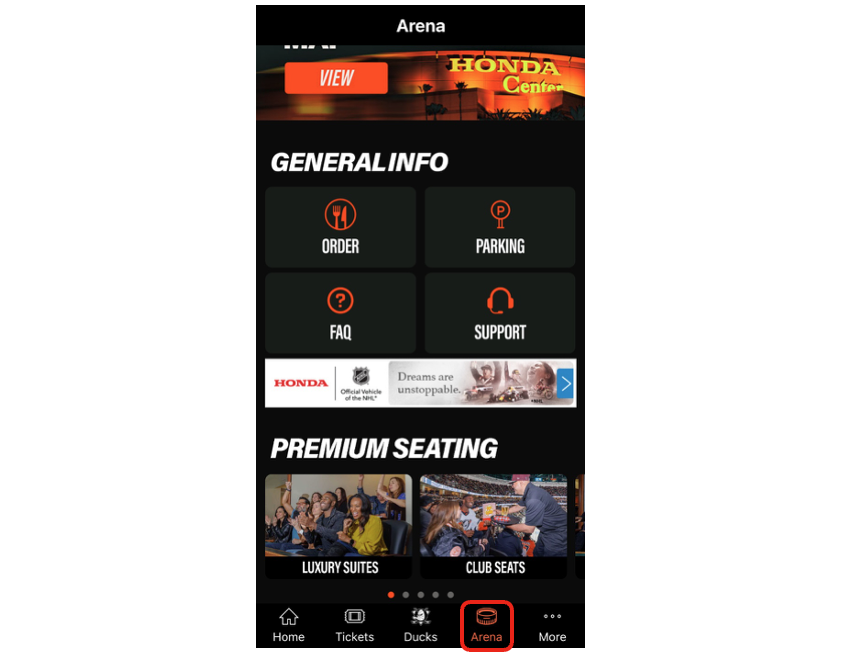
From the Honda Center App home screen, tap on the "Tickets" bottom menu icon and then tap on "View My Tickets." Then tap on the “View” button under “Manage Tickets” on the top of the page.
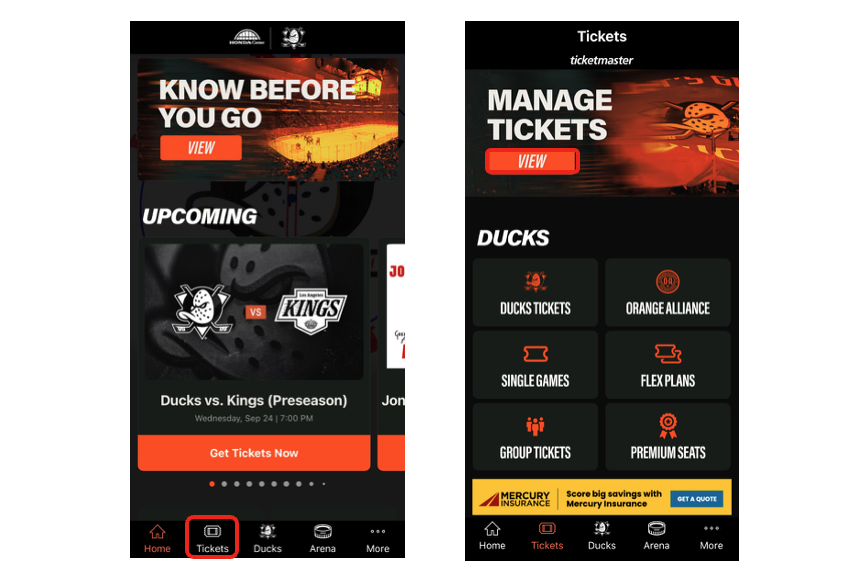
If you skipped the login process when you first installed the app, you will be prompted to login to or create a new Ticketmaster account. If you logged in when you first installed the app, you'll be taken to the "My Events" page.
1. From this screen, you will see your tickets for upcoming events. Tap on the event tickets you would like to view.
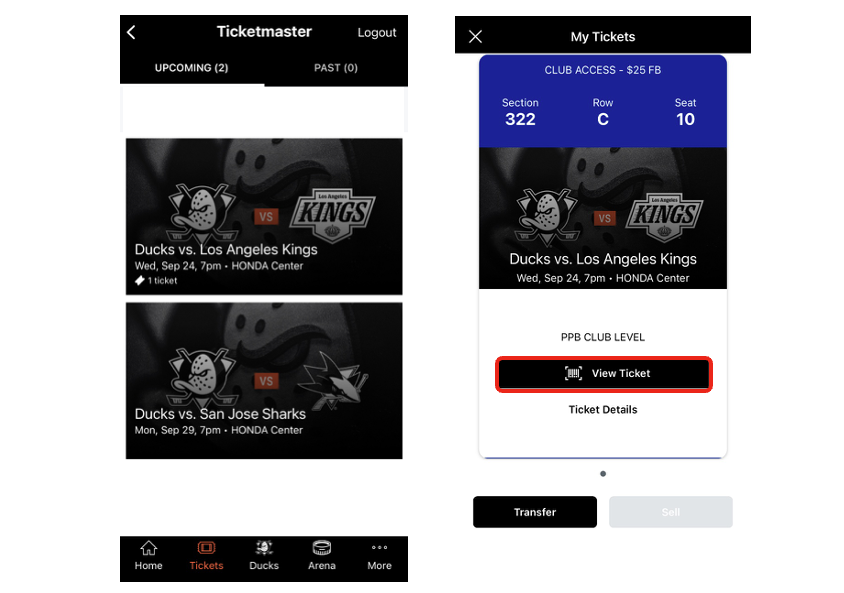
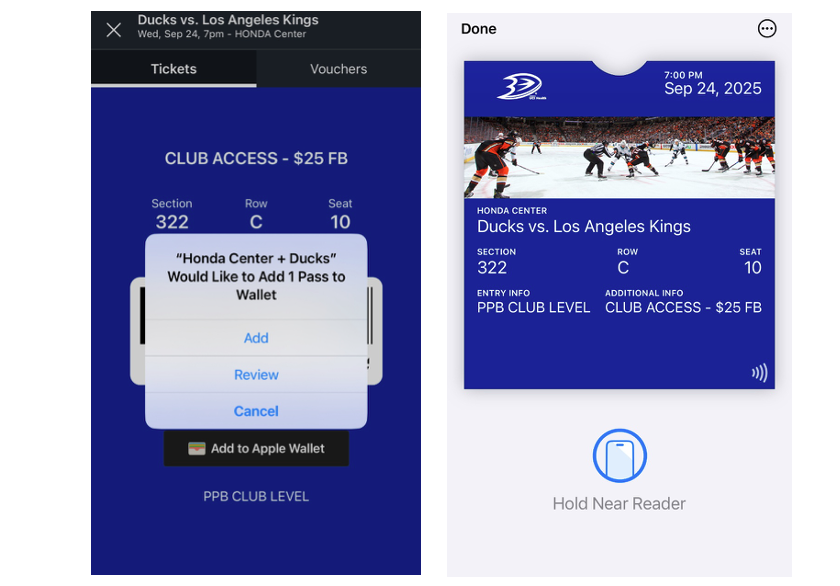
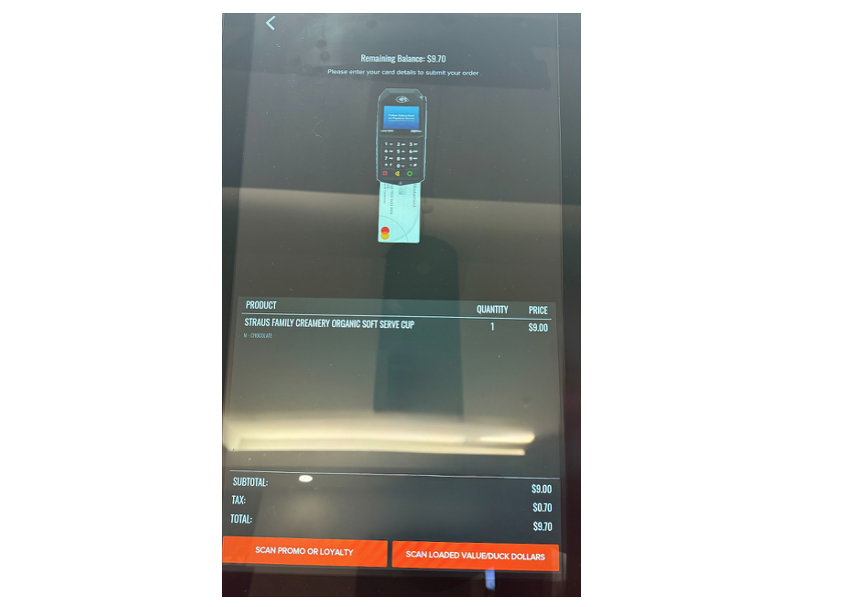
2. Once you select an event, your ticket(s) will now be displayed. Select “View Ticket” to display the scrolling barcode. This will also show your Food and Beverage credit associated with that seat on it. Here you will have two tabs displayed on your ticket: Tickets & Vouchers. You will be able to scan either tab to utilize your Food & Beverage credit at a food & beverage location at Honda Center.
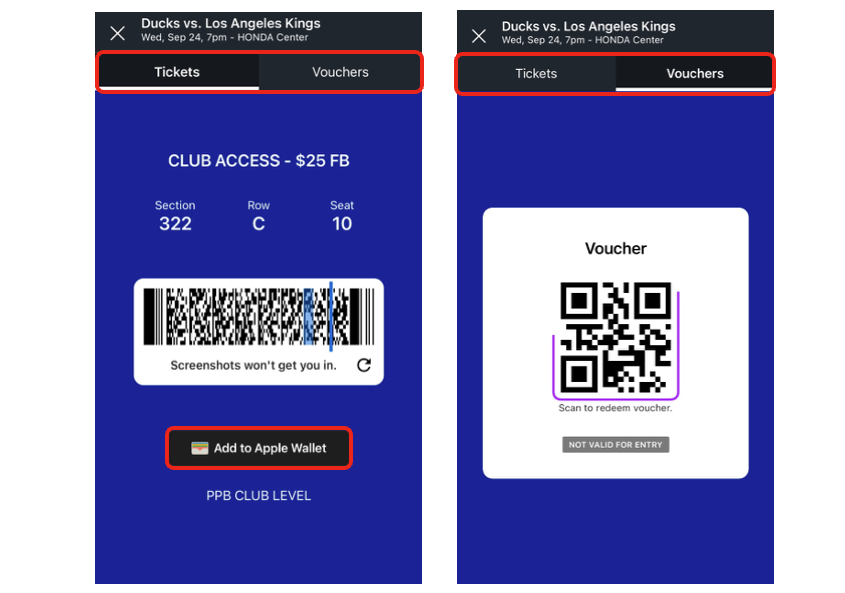
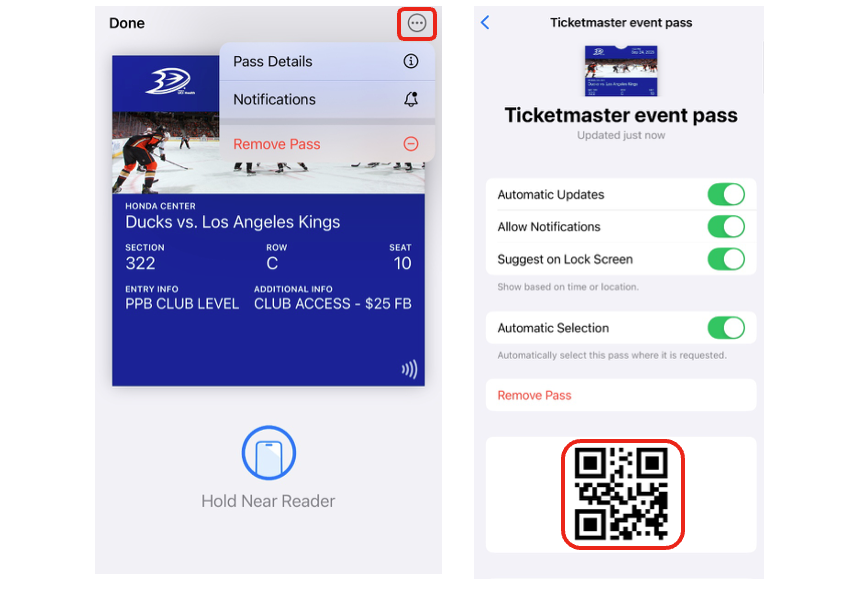
On this screen, you will also have the option to add your tickets to your Apple or Android wallet by clicking on the “Add to ___ Wallet” button.